Thank you very much for the release of Kraken SDR V2. I downloaded the image right away. Installation was easy. I flashed it to a USB and then transferred that to my Pi5 SDD. I had a little trouble getting the new image to connect with my Hot Spot. Once that was resolved, it connected to a Chrome web browser on an iPad on the first attempt. I added the App connection, on a separate iPad. It also connected on first attempt. On both the Web Interface and iPad app, screen refresh and general response is noticeably improved. I assume that any new features will need an update to the App to be utilized. Are there any limitations or incompatibilities with the original App I should watch out for?
I’m preparing for an all day County Wide T Hunt in San Diego this Saturday 8/26. I’ll let you know the results.
Robert
N9SCD
The Evolution of My Kraken SDR
A little over a year ago I purchased a Kraken SDR. I was hoping to improve my T Hunting performance. I had a lot of work to do. The kraken is not a “Turn Key” product. It takes considerable time to integrate it into a system. You better not try to limit your budget. It will end up costing even more.
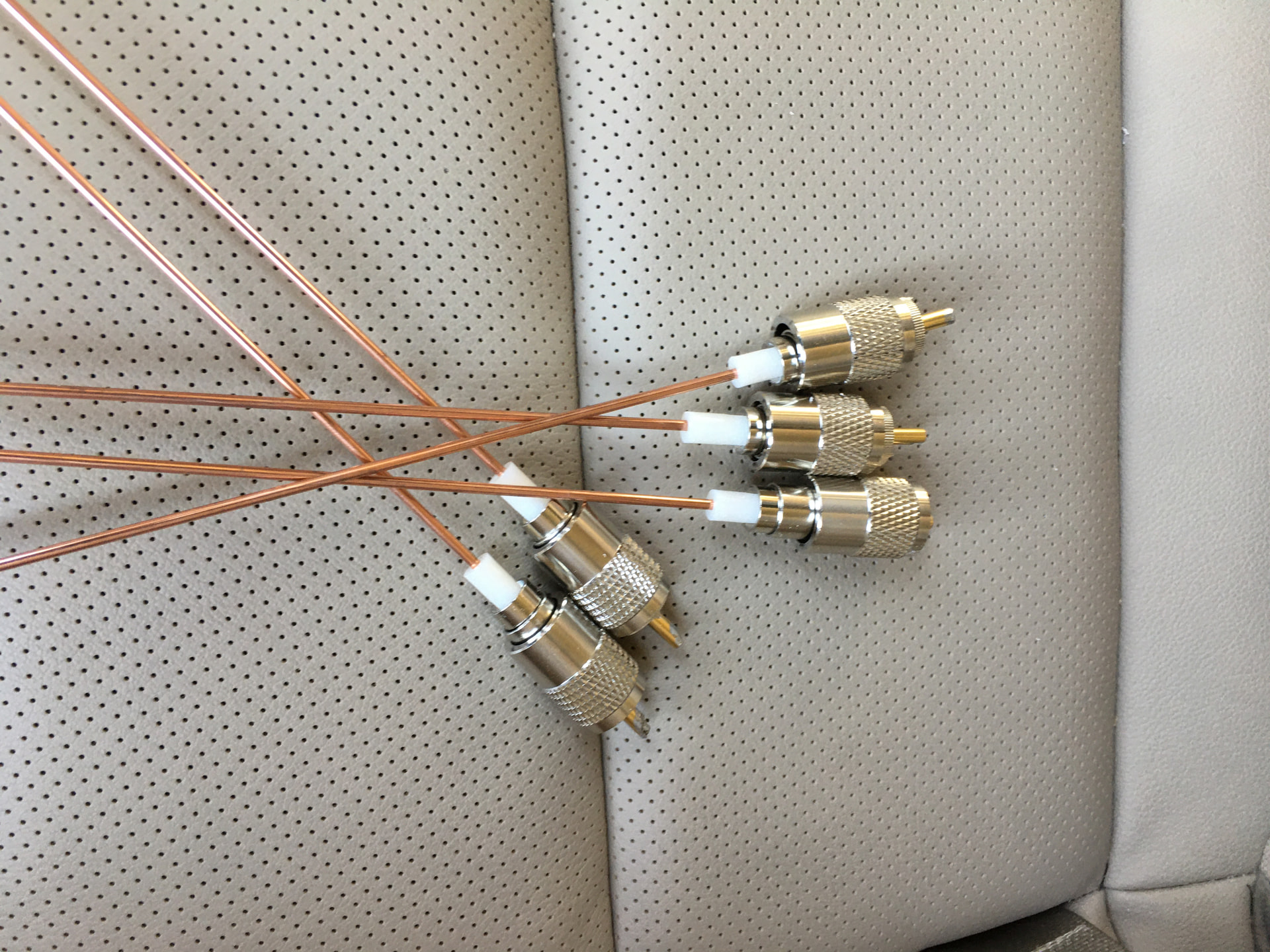
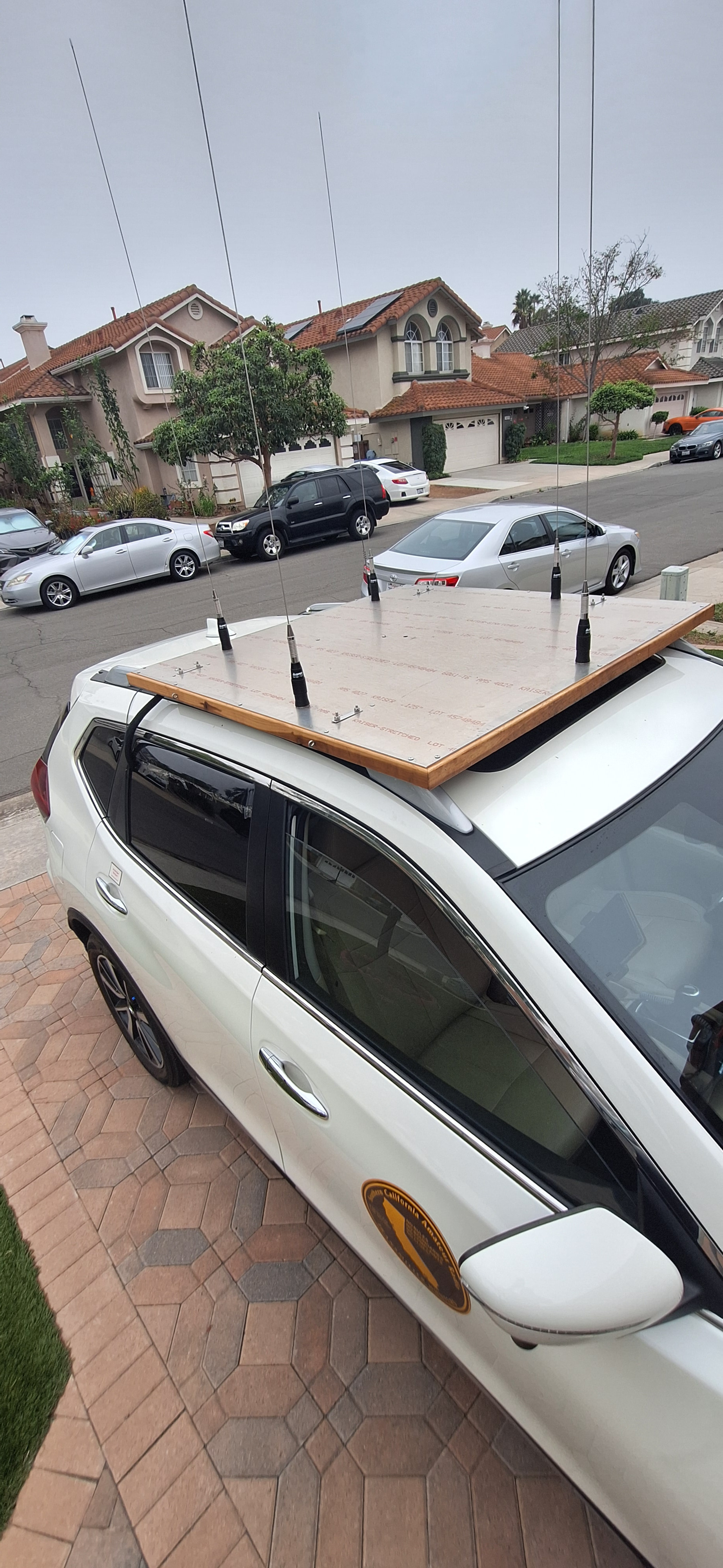
I started to save by building my own antenna. A PL259 connector with about a 19 inch welding rod is just about right. The connector is rugged enough to handle the wind load with a good panel mount base. I placed 5 of them on a 4 foot sheet of Aluminum. The set is designed for 146.565 MHz. Not wanting to drill any holes in my car, I built everything to attach to the luggage rack rails. All cables are the same length and VSWR, about 1.2:1 or less.
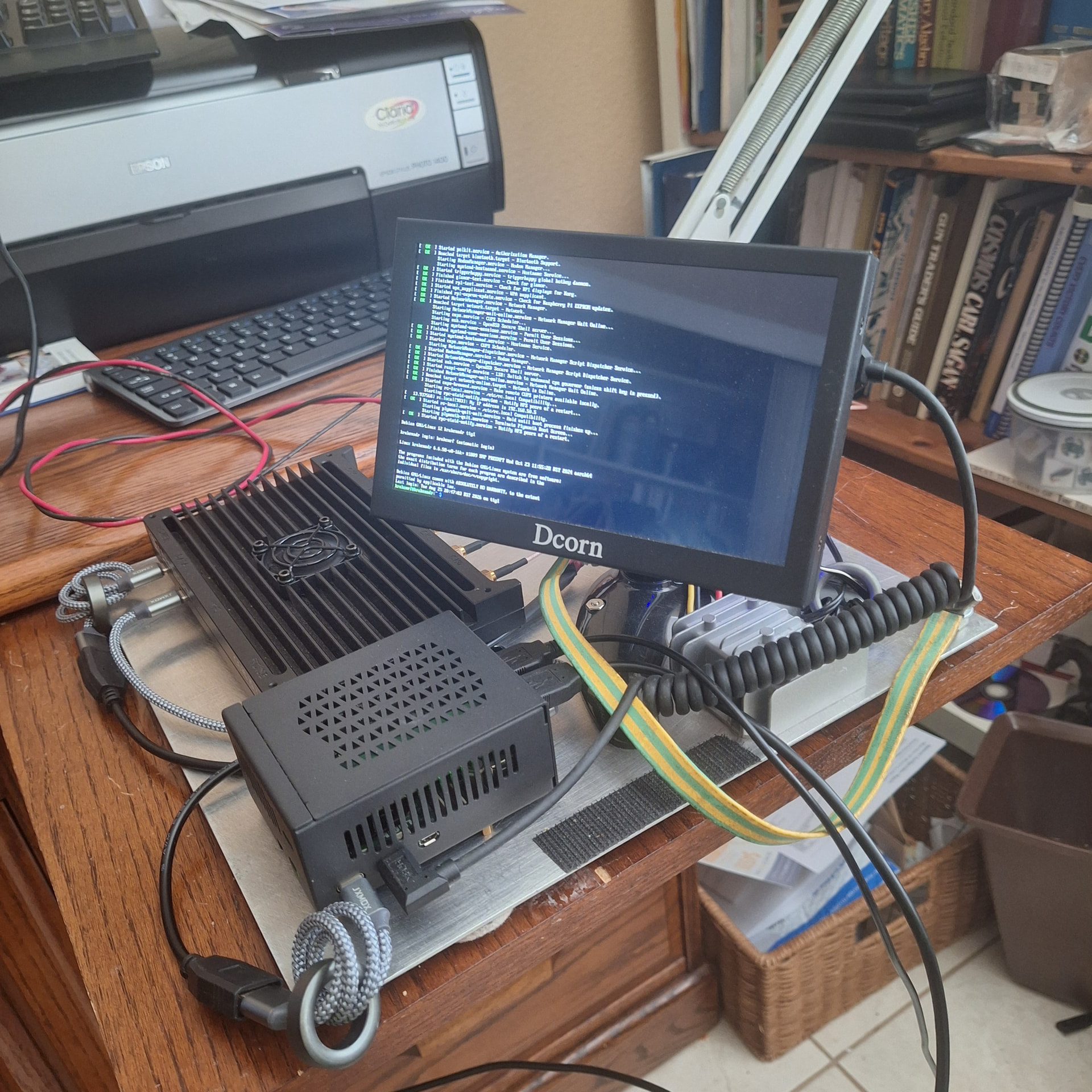
Next came the processor. I purchased a Raspberry Pi4B with 8 Gig of memory. It took a little effort to load an SD card with the proper image. I also purchased a VK-162 GPS and connected it to the Pi4B. I added a small LCD monitor that speaks HDMI. Finally I mounted all these components to a sheet of aluminum.
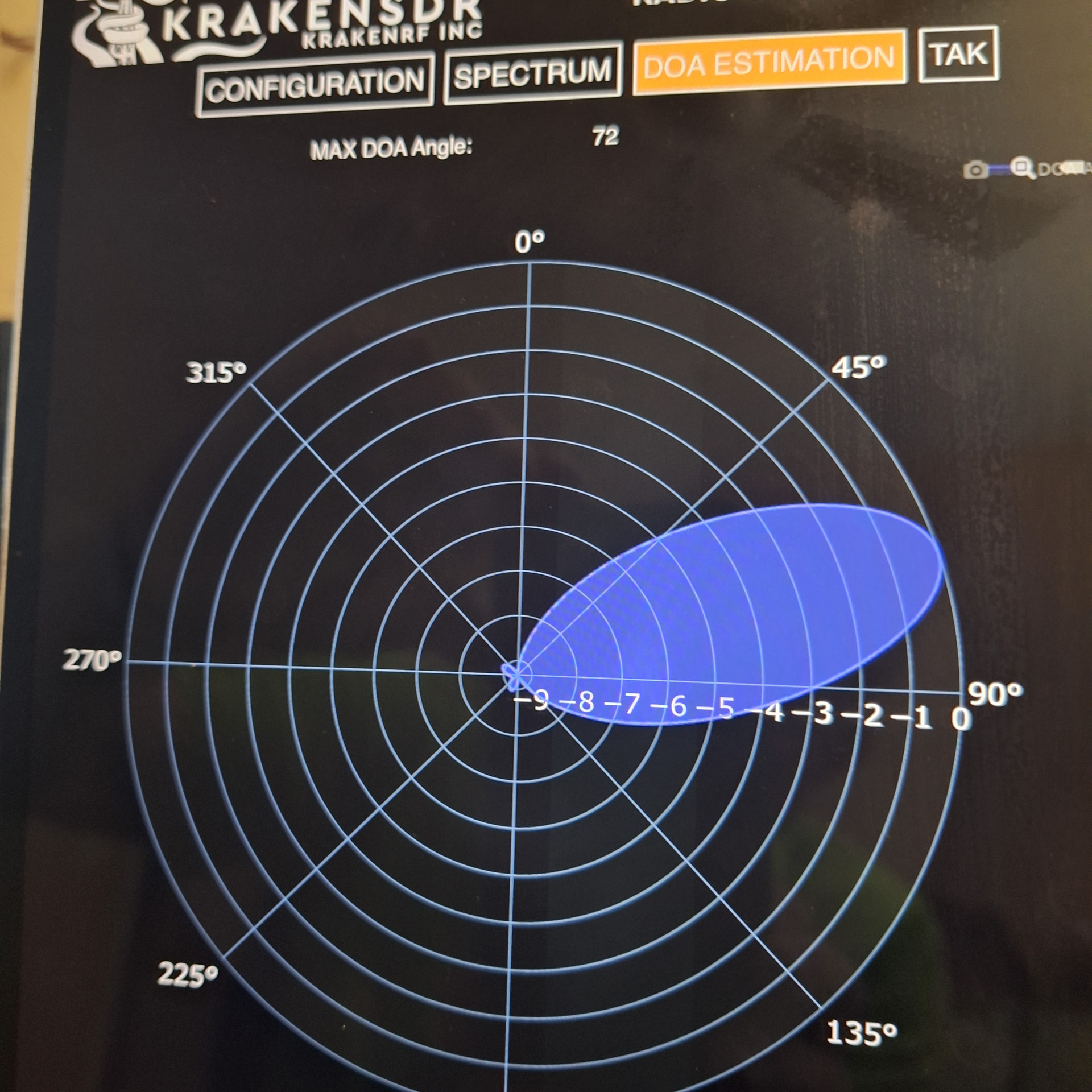
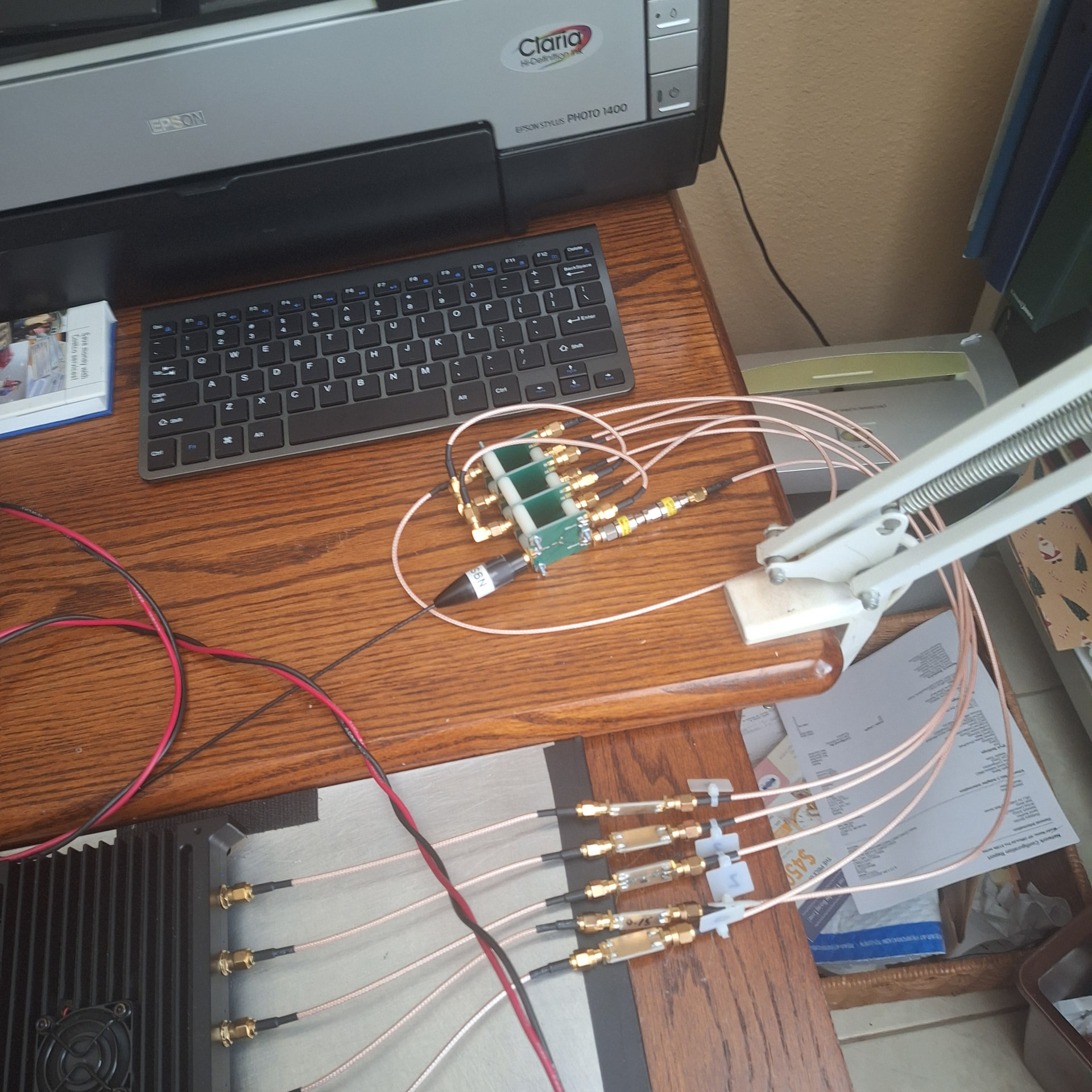
For testing I built a simulator to give the Kraken something to look at. It’s just a few power splitters with the right length of cable between them and a 6 db attenuator in line with the front antenna port. When used, DOA is about 72 deg.
I was over optimistic adding the support computers. I hoped to eliminate one by running the Kraken App in the Android simulator, Blue Stacks. My laptop didn’t have enough push to handle the work. Initial testing crashed at random. It was verry sensitive to the start up sequence. It never worked properly.
When I finally realized the problem, I purchase a cheep Android tablet. Remember what I said about trying to limit budget?
With the Android tablet, I finally had a system that could be used within limits. It was unstable. Interfaces would slow or stop completely for no known reason. I was depressed. Then a new image was released. Stability improved. I could participate in a hunt. It still crashed occasionally. However, it was a significant improvement. I look foreword to the next release. Thinking I still had a CPU limitation, I upgraded to the Raspberry Pi5 with 8 Gig of memory. It’s configured to boot from an SSD.
Not all of my problems are with the Kraken. Since the antennas are ¼ wave vertical it has less sensitivity than the multi element beams used by other Hunters. I replaced the ¼ wave antennas with 5/8 wave. It’s not the best solution, but it gives me a bit more signal at the start. It’s taller. Luckily, I haven’t hit anything yet.
I still have problems with the Kraken App or the web interface becoming sluggish or unresponsive. I noticed while testing that the web interface gets a lot of traffic and may not handle a bottleneck. That’s just what I have found in the cheap Android tablet. While bringing up the web interface with my desktop, I noticed a quick refresh of the data. Using the tablet, it would take 3 or 4 cycles to repaint the full page and fill in the data. I re-connected with the tablet. Refresh is slow again. There must be a difference between how the interfaces are implemented. I am using a 4th gen iPad to run the Kraken App. The web interface was on the Android. When I swapped them, the web interface performed better. I obtained another iPad.
Other problems are trivial compared to crashes. The GPS sometimes connects but never updates until I manually issue a “gpsctl -n” command to the Pi5. Another issue is the App always indicates 0 velocity no matter how fast it goes.
In general, I enjoy working with the Kraken. There are times during a Hunt that I get irritated when something goes wrong and I can’t figure it out. Things are improving. I think I have enough CPU power. I am interested in the compass improvements at low speed. I can’t wait for the next release.
Robert
N9SCD